
YIP by YourIPLawyer.in Download

What do you work on?

YIP Note YIP PDF

Read it, mark it, and find it again in one tap.

Court bundles, ready to file.

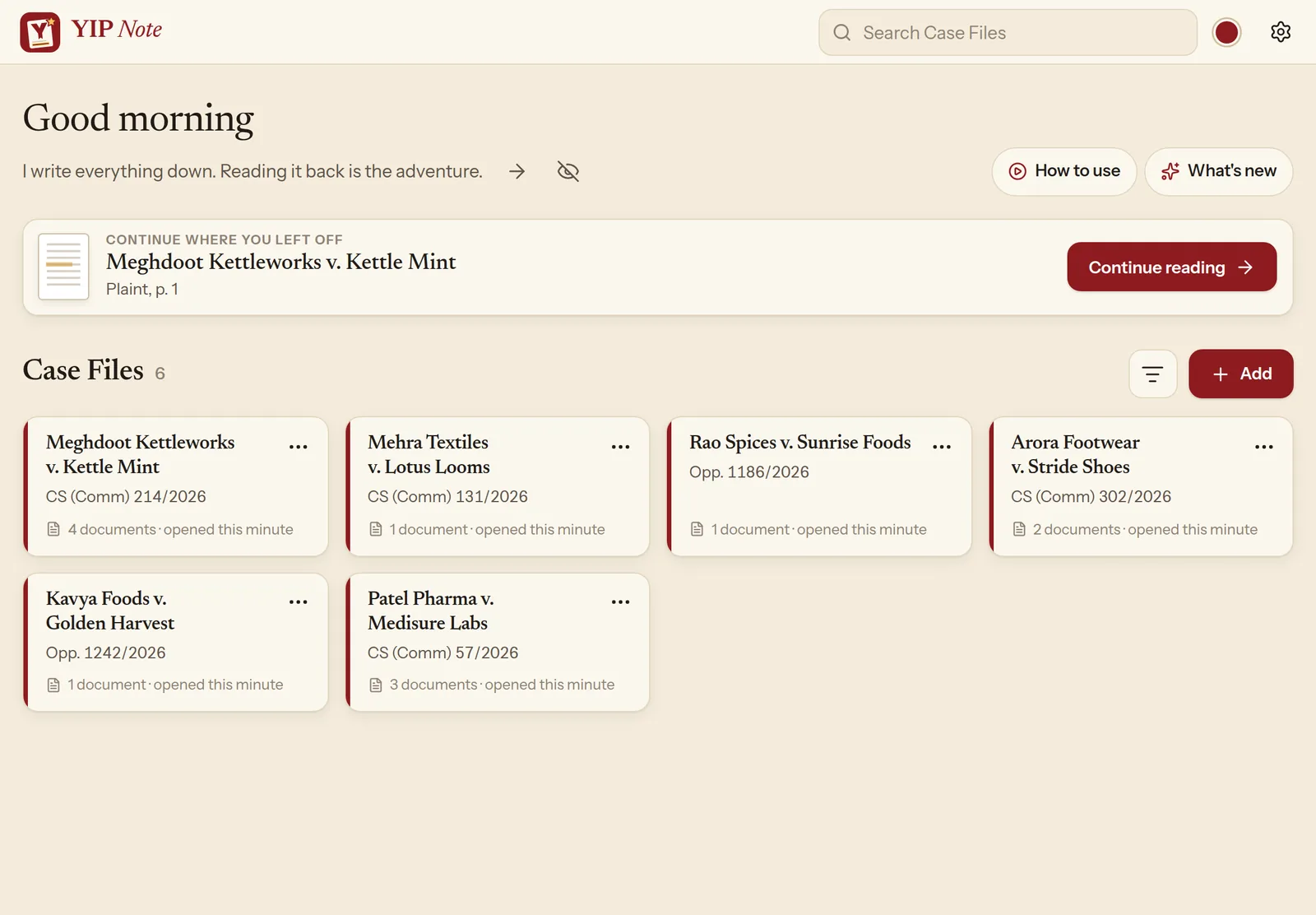
One Case File for every matter. Documents, highlights and notes, together on your tablet.

The PDF program for advocates on Windows: number each part, stamp True Copy, OCR, merge with bookmarks, redact and compress for e-filing.

Mark the page

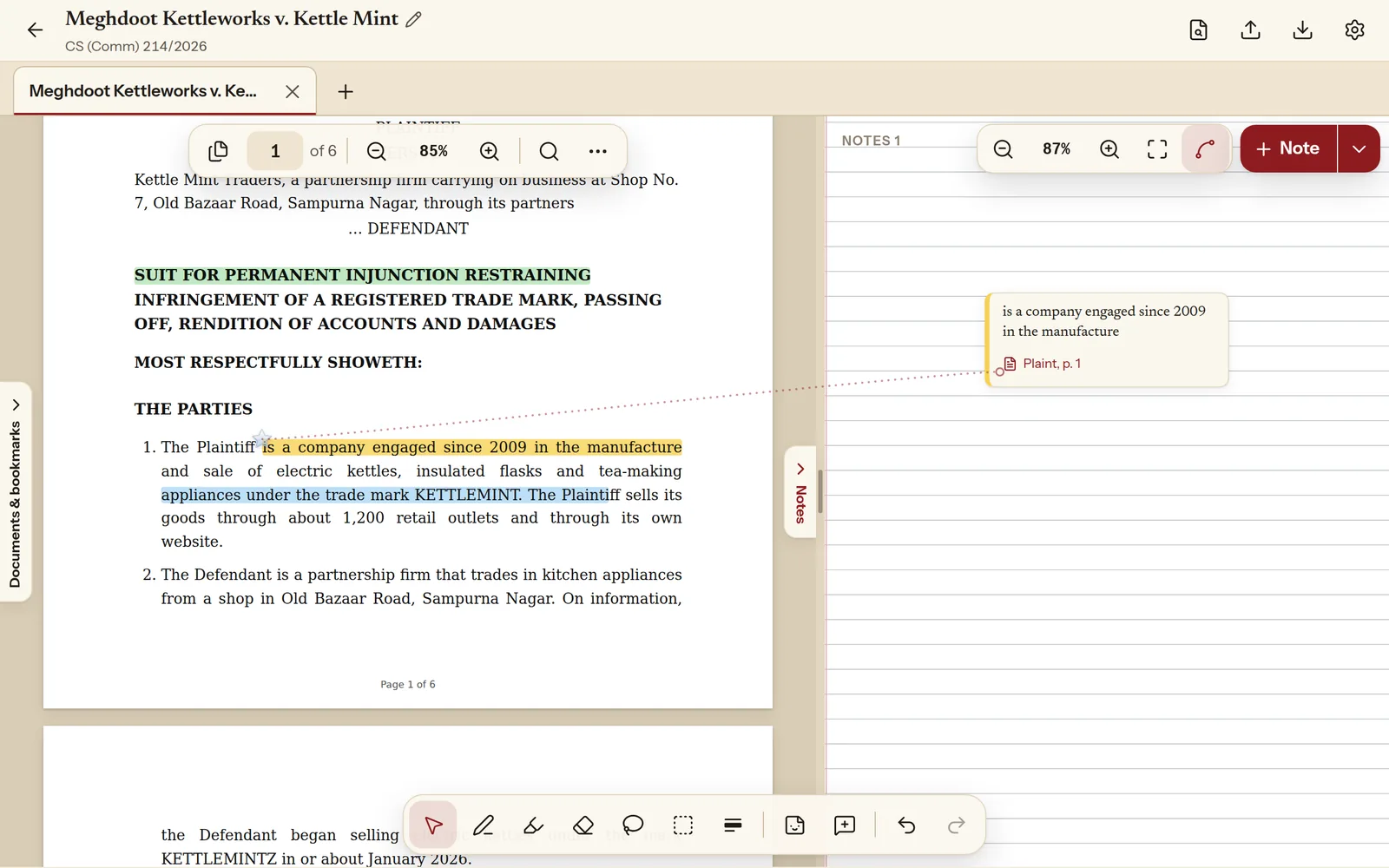
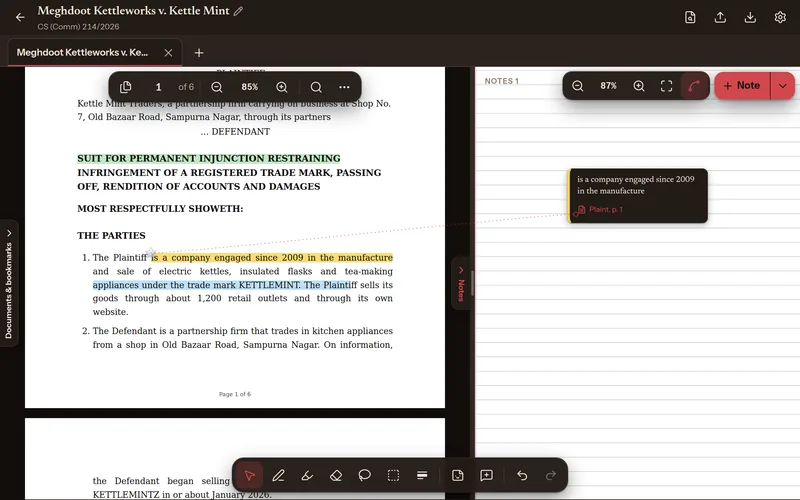
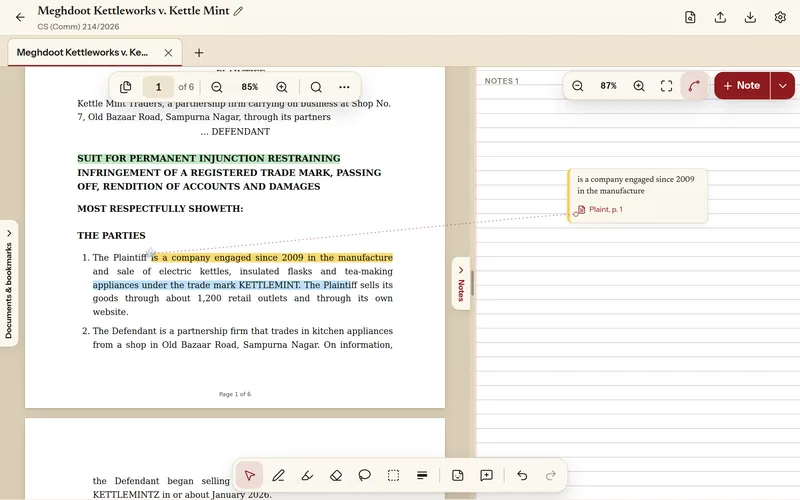
  1. Highlight it, the way you do on paper.

    Swipe with a stylus, a finger or a mouse. The highlight snaps to whole words.

  2. Circle what matters.

    Pen, highlighter, shapes and stickers, in the colours you pick.

  3. Write in the margin.

    Your handwriting stays where you put it. Every stroke can be undone.

Your turn: tap a sentence to highlight it, or pick the pen and write on the page.

Plaint · page 1

The parties

1. The Plaintiff is a company engaged since 2009 in the manufacture and sale of electric kettles, insulated flasks and tea-making appliances under the trade mark KETTLEMINT. It sells its goods through about 1,200 retail outlets and its own website.

2. The Defendant is a partnership firm that trades in kitchen appliances from a shop in Old Bazaar Road, Sampurna Nagar.

3. In the year 2025 alone, the Plaintiff’s sales under the mark exceeded ₹ 38 crore.

Fictional, made for this demonstration.
Everything a long matter needs.

One Case File for every matter.

Pleadings, orders, evidence and your notes stay together. Open several Case Files at once as tabs, and pick up exactly where you left off.

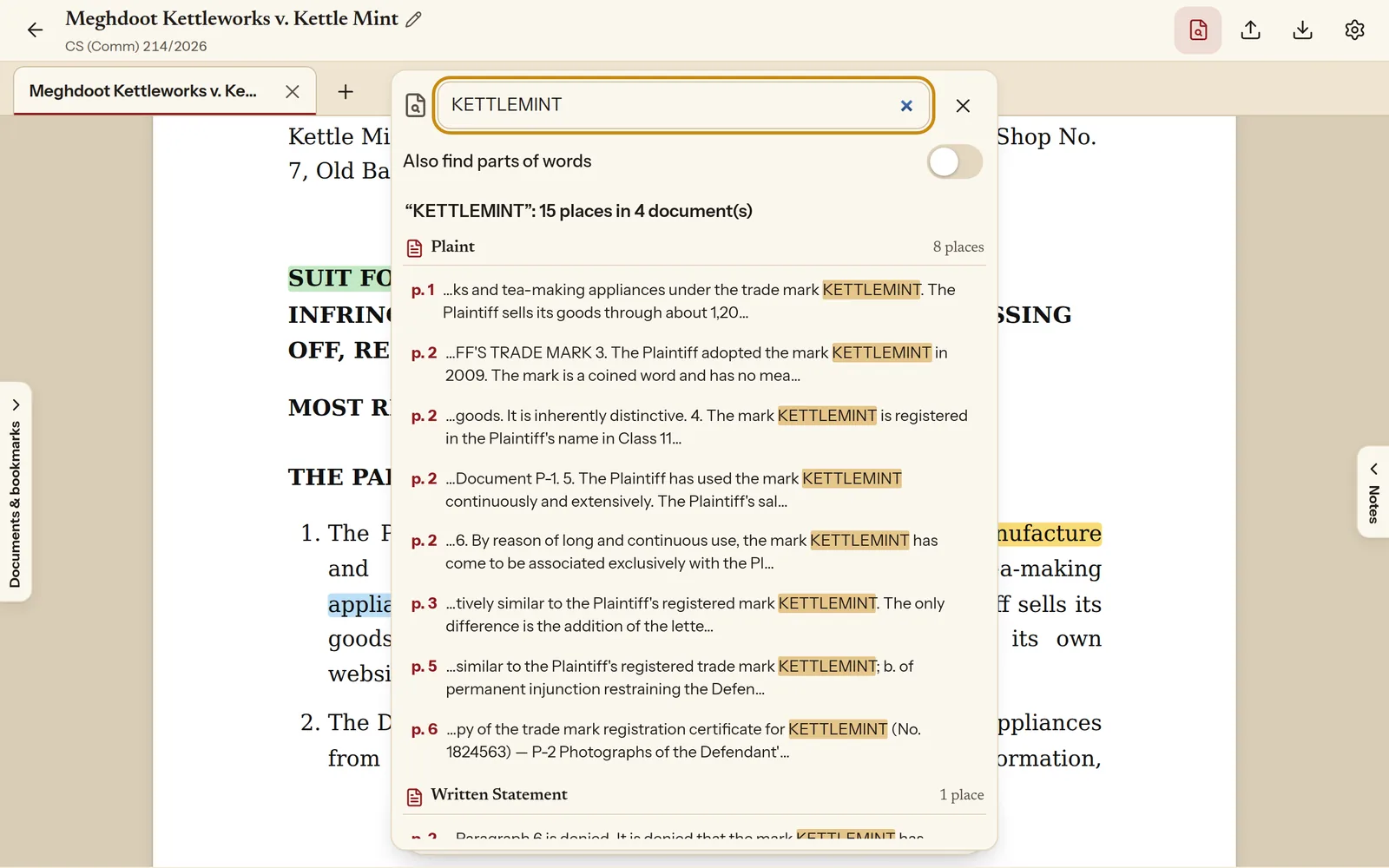
Search every document at once.

Every place a word appears, across the whole Case File, with the page number beside it. Tap one and you are there.

Black out a name. Clip a table.

Redact private details with one tap and clip any part of a page straight into your notes. The original file stays untouched.

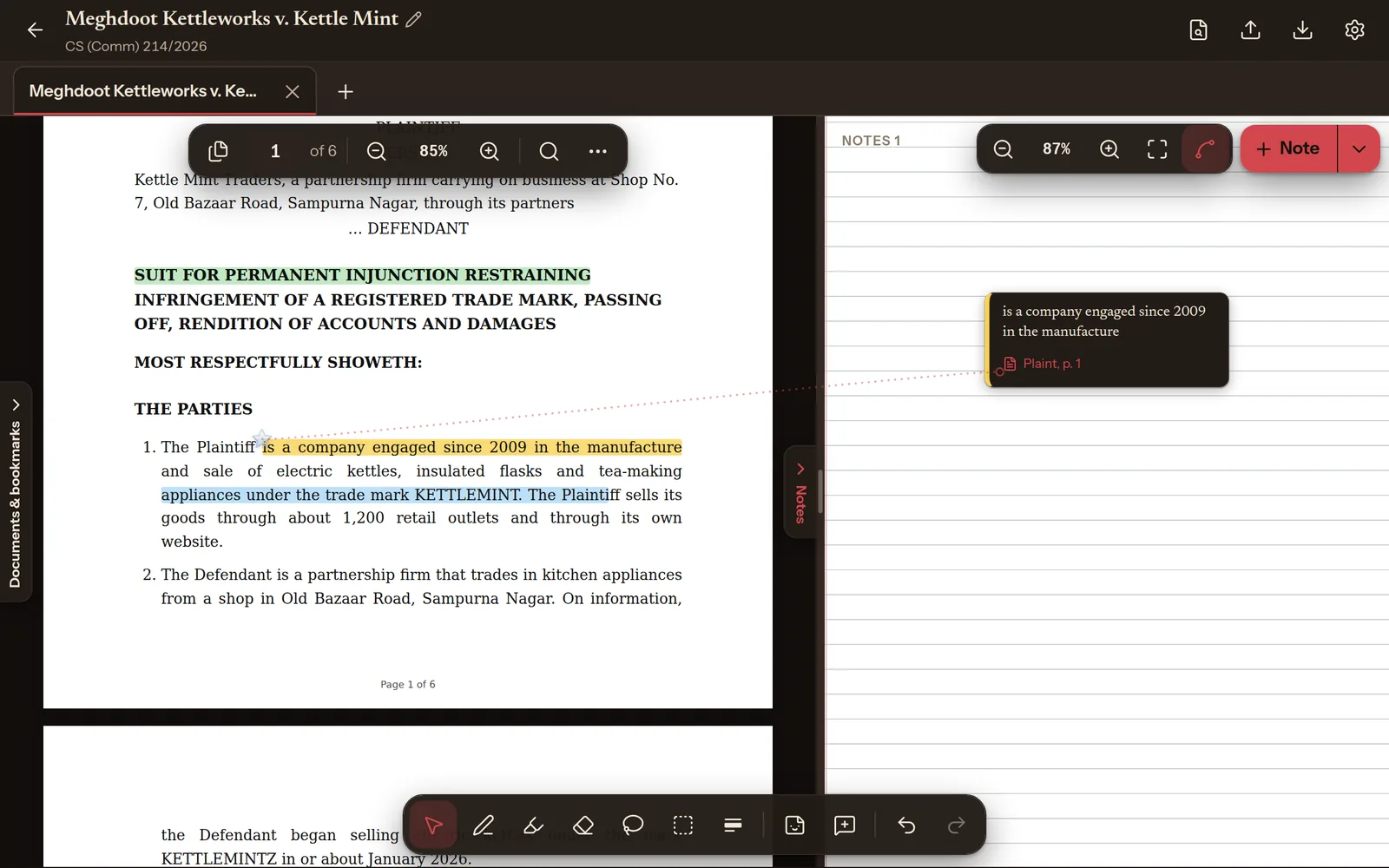
Easy on the eyes at night.

Dark mode for late reading, and an app colour of your choice. Your documents keep their own colours.

Your app, your colour.

YIP Note comes in nine colours, and every one keeps text and buttons easy to read. Try them on this page.

Your files stay on your tablet.

Client papers, patient notes, unpublished research: what you read is nobody else’s business. YIP Note keeps it on your device.

  • Not uploaded Documents, marks and notes are stored on your tablet.
  • No trackers, no ads Nothing in the app watches what you read.
  • Works offline In the courtroom corridor, the ward or the train.
  • Backups you hold Save a backup file yourself and open it on your next tablet.

Made by an advocate, for anyone who reads for a living: lawyers, doctors, students and researchers.

YIP PDF · for Windows

Prepare a court bundle

  1. Merge it into one bundle.

    PDFs and photos, after any page, with a bookmark for each annexure.

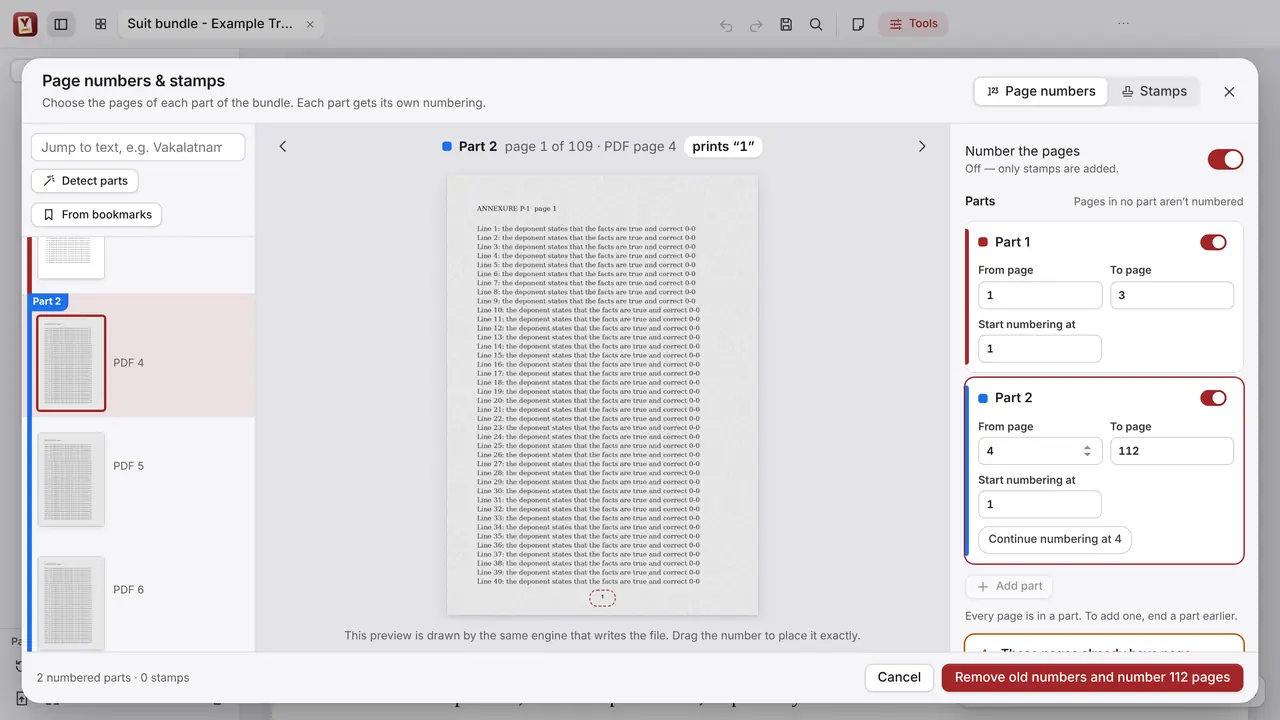
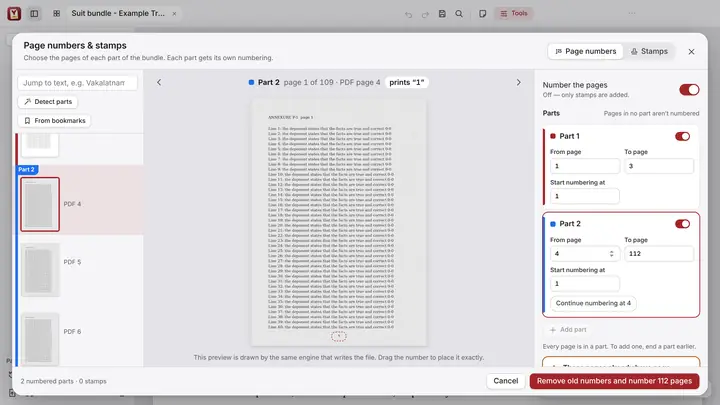
  2. Number each part on its own.

    Choose the pages of each part and where its numbering starts. Old printed numbers can go.

  3. Stamp it True Copy.

    True Copy stamps and seals, placed on the pages of your bundle.

Index
Plaint
Agreement
Invoices
Legal notice
Reply

Make it readable, then file it

OCR, redaction and compression

  1. OCR that reads every page.

    English and Indian languages. The pages look the same, but now you can search and copy them.

  2. Redact it for good.

    Names, numbers and addresses are removed permanently, not just covered.

  3. Compress it for e-filing.

    Pick a target size, such as under 10 MB, and the bundle is made to fit.

Everything a court bundle needs.

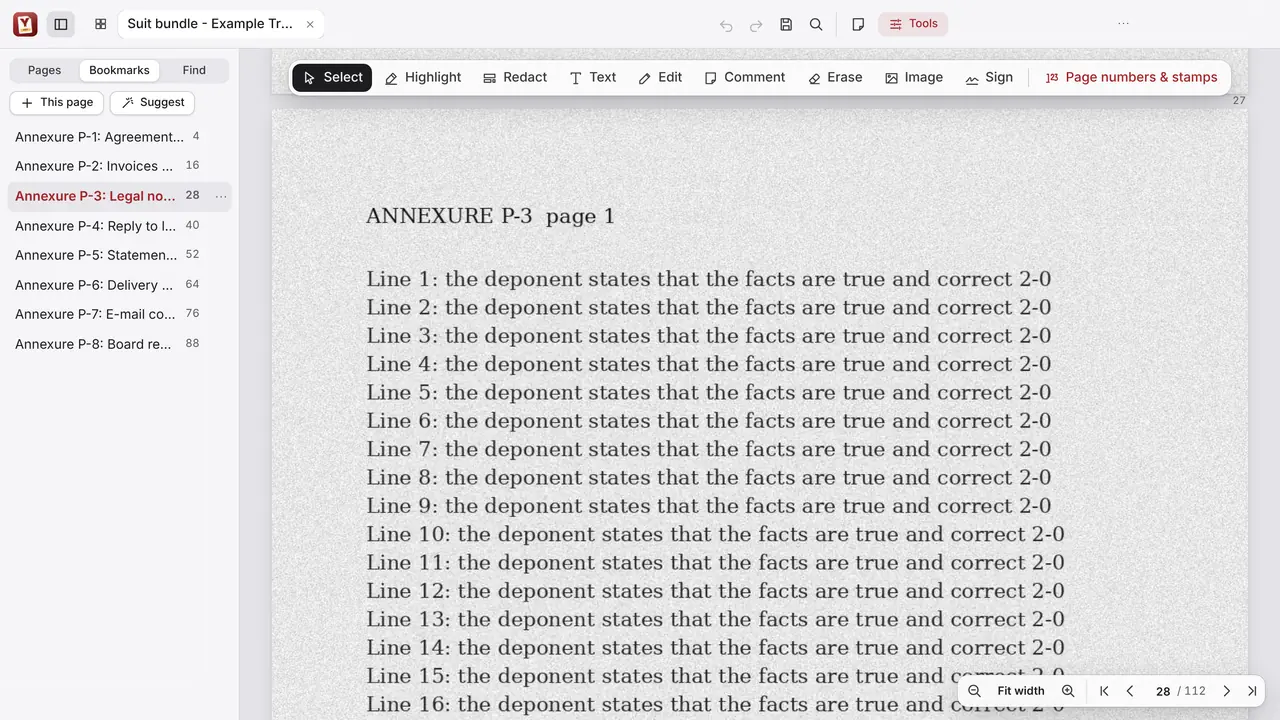
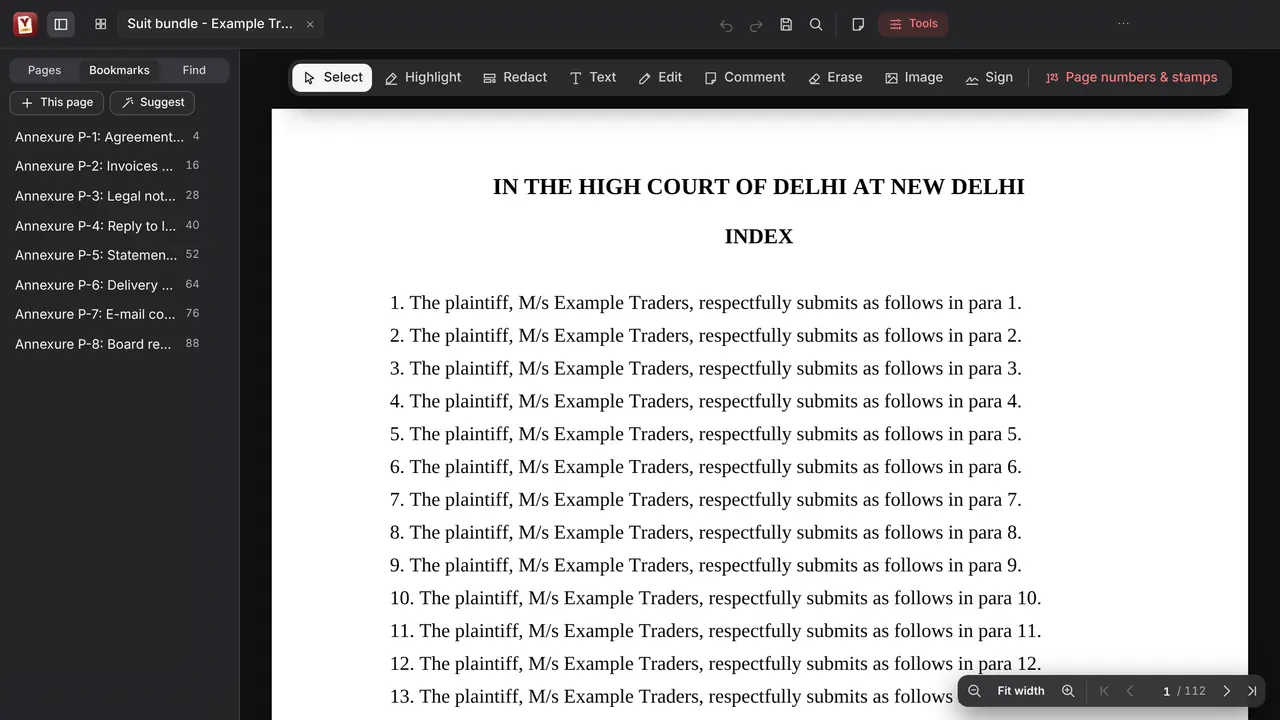
A bookmark for every annexure.

Quick jumps through long bundles. Add, rename and nest bookmarks, or let YIP PDF suggest them.

Page numbers, part by part.

Each part gets its own page range and starting number, and the preview is drawn by the same engine that writes the file.

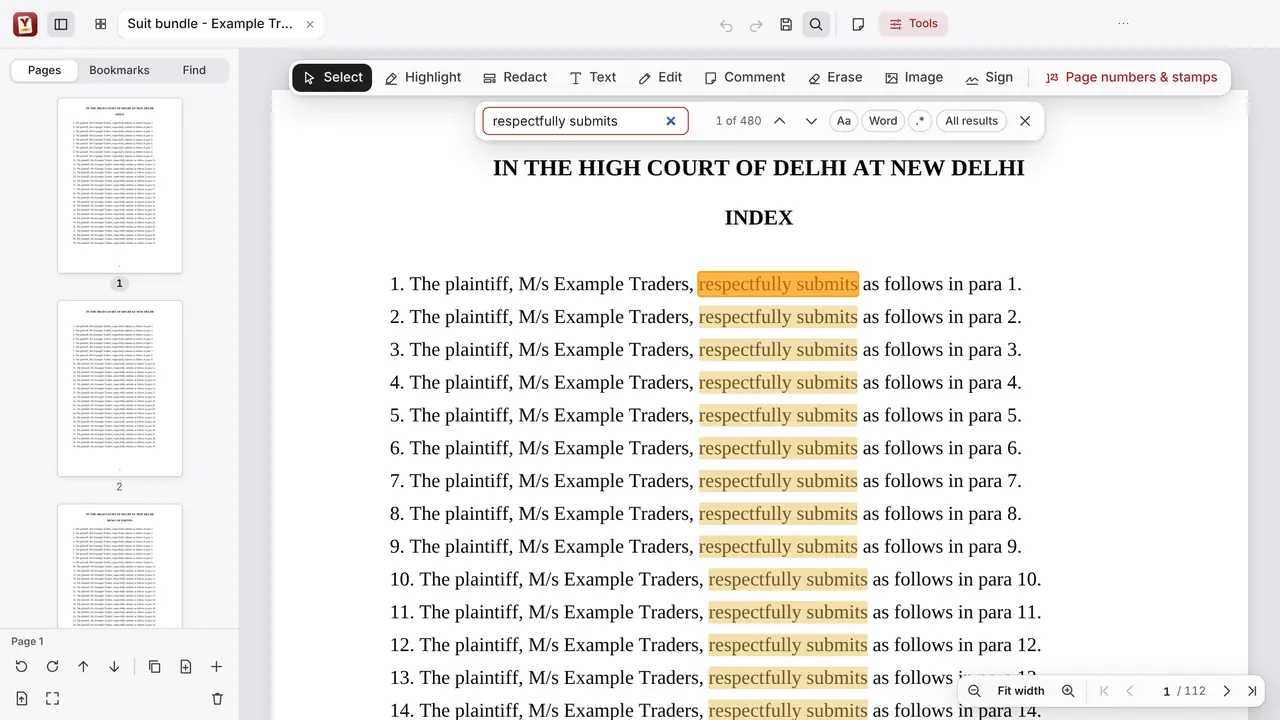
Find any phrase in hundreds of pages.

Every match is highlighted, with the count beside it. Fast on long bundles.

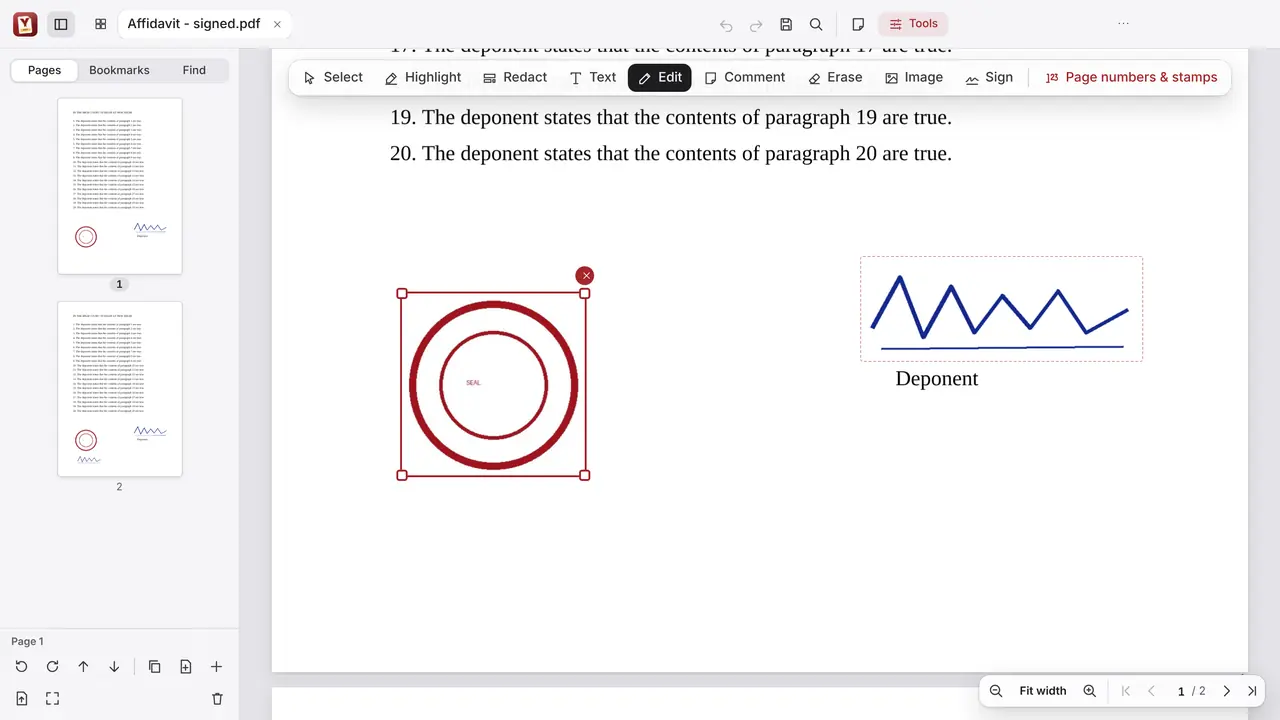
Edit, move, sign.

Edit text in its original font; move, resize or delete pictures and signatures. Sign by hand or with your DSC token.

Easy on the eyes after court.

A dark mode for late nights, and every change can be undone, however long the bundle.

Client papers stay on your computer.

YIP PDF opens, reads and changes your documents only on your own computer. They are never uploaded.

  • Never uploaded Bundles, scans and signatures stay on your computer.
  • Indian languages OCR in English and Indian languages, without changing the pages.
  • Built for long bundles Fast on hundreds of pages. Every change can be undone.
  • Updates by themselves Through the Microsoft Store, signed by Microsoft.
The YIP crocodile in an advocate's gown and bands, cheering.

Made by an advocate, for advocates and law offices.

More about YIP PDF

Download

Get YIP for your device.

Questions

Where can I get YIP Note?

On iPad, from the App Store, and on Android tablets, from Google Play.

What does YIP Note cost?

It is free for a limited time for early users, with every feature. After that it is a yearly subscription. If you don’t subscribe, your Case Files stay on your tablet and you can still open, read and export them.

Is there a Windows version?

For Windows 10 and 11 there is YIP PDF, the PDF program for advocates, from the Microsoft Store. It prepares court bundles: page numbers for each part, True Copy stamps, OCR, merging with bookmarks, redaction and compression for e-filing. More about YIP PDF.

Are YIP Note and YIP PDF the same app?

No. YIP Note is the tablet app for reading, marking and linking documents. YIP PDF is a separate program for Windows computers that prepares PDFs such as court bundles. Each comes from its own store.

Do my documents leave my tablet?

No. Your documents, marks and notes are stored on your tablet and are not uploaded anywhere.

Which files can YIP Note open?

PDFs and photos. Word files are turned into PDF on your tablet when you import them.

Does YIP Note work without internet?

Yes. Once your documents are in, everything works offline.

How do I move to a new tablet?

Save a backup file of your Case Files and open it on the new tablet.

Does YIP PDF upload my documents?

No. YIP PDF opens, reads and changes documents only on your own computer. They are never uploaded.

What’s new

All articles